
Using Pinduoduo in Chinese: A Navigation Guide

The official listing publishes Pinduoduo APK in Chinese only, with a single language code. For shoppers who do not read Chinese, that sounds like a wall. In practice it is a fence with clear gates: the app is built around icons, positions and prices, and those work in any language.
This guide teaches the layout, not the language. It maps the screen positions that matter, aisle by aisle, so a shopper can find deals, check orders and manage the basket without translating anything. download Pinduoduo APK
On this page
The Home Screen Layout
The home screen follows a fixed pattern: a search bar at the top, promotion banners below it, category tabs under the banners, and the product feed below that. The positions stay the same from visit to visit, which is what makes navigation by position possible.
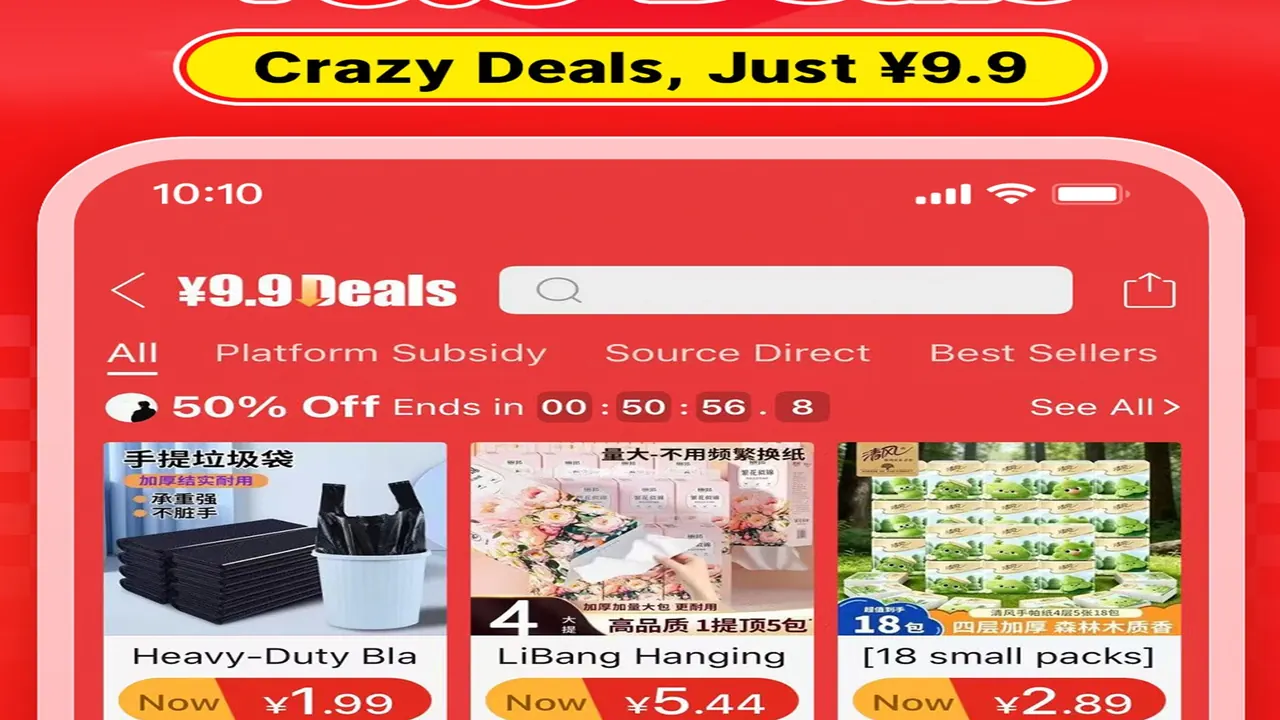
The search bar is the wide field at the top with the magnifier icon. The category tabs sit in a row and scroll sideways. The deal aisles, Mega Save, Flash Sale and 9.9 Deals, sit in the banner and tab area, and the guides on this site name their positions.
The Icons That Matter
Five icons carry most of the navigation: the magnifier for search, the house or home mark for the home feed, the category grid for browsing by type, the basket for the cart, and the person mark for the account area. Learn those five and the app opens up.
Prices need no translation: the currency mark and the digits are the same everywhere, and the group price sits beside the solo price on every listing. The countdown digits on Flash Sale are numbers, and the group count beside them is a number too. searching for products
Checkout Without Reading Chinese
Checkout follows the same positions every time: the product page, the price choice, the address block, and the pay button at the bottom. The total sits above the pay button, and it is the number to check before tapping.
Do the first checkout slowly, with the guides on this site open beside the phone. After one successful order, the positions are learned, and later checkouts are fast. Never rush a first checkout in an unfamiliar language. shopping from the Philippines
Frequently Asked Questions
Is there an English version of the app?
No. The official listing publishes the app in Chinese only. Navigation by icons, positions and prices is how non Chinese readers use it.
Can I use the search bar without Chinese?
The search bar accepts product names, and the category tabs and deal aisles support browsing without searching. Product photos and prices carry most of the meaning.
How do I know the total before paying?
The total sits above the pay button at the bottom of the checkout screen. Check it before tapping, every time.